
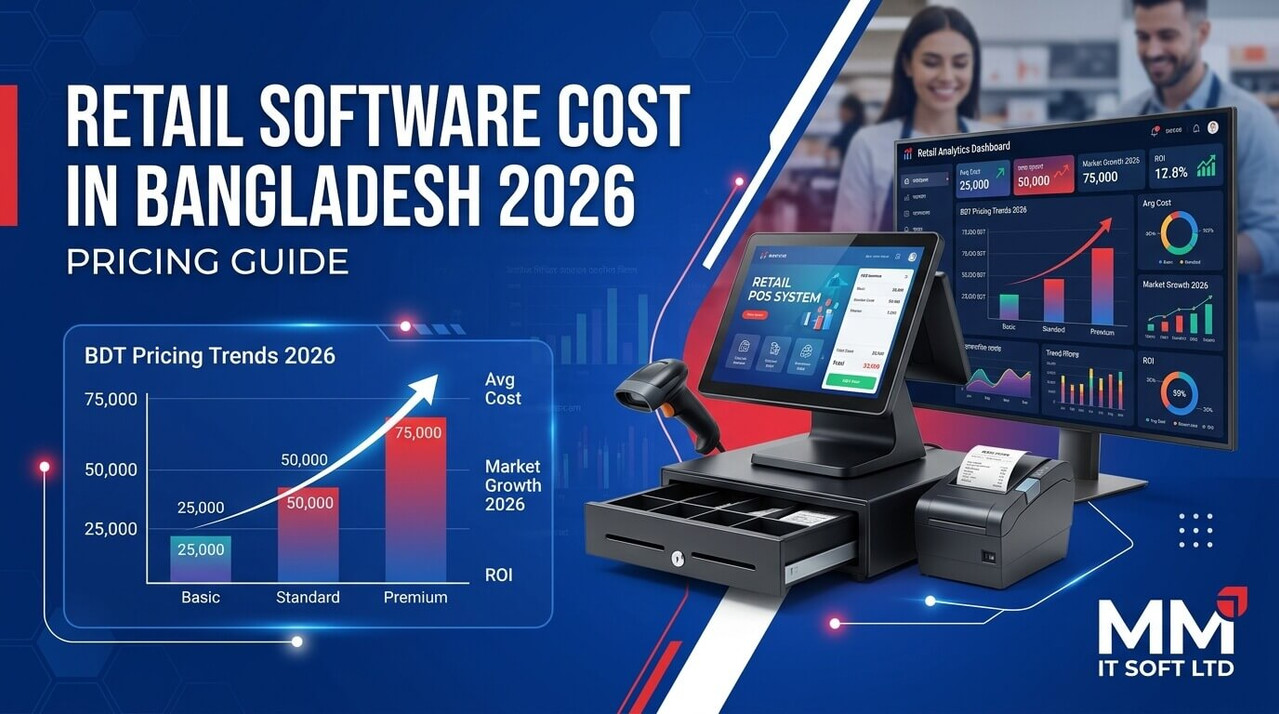
In 2026, retail software cost in Bangladesh ranges from BDT 10,000 for basic single-shop POS billing solutions to BDT 3,00,000+ for enterprise multi-branch retail ERP software. For cloud-hosted SaaS, monthly subscriptions typically run between BDT 1,000 to BDT 15,00 per month.
Retail Software Cost in Bangladesh: How Much Does Retail Management Software Price?
The retail industry in Bangladesh is changing rapidly. Small shops, supermarkets, fashion stores, electronics retailers, pharmacies, and chain businesses are moving away from handwritten memo pads and fragile spreadsheets toward robust digital management systems.
Managing sales, inventory, purchase orders, suppliers, customers, and accounting manually creates severe day-to-day business bottlenecks:
- Incorrect stock information: Mismatched physical inventory, unrecorded waste, and untracked theft.
- Billing mistakes: Manual calculation errors during rush hours that frustrate shoppers and cause revenue leakage.
- Difficulty tracking profit: Inability to calculate true net margin after discounts, supplier returns, and operating expenses.
- Employee management problems: Unmonitored cash drawers, no shift logs, and lack of cashier accountability.
- Lack of real-time business reports: Owners cannot see what items are selling while away from the shop.
A professional Retail Management Software Bangladesh solution developed by MM IT SOFT LTD helps businesses automate daily operations, safeguard cash flow, and dramatically improve customer checkout speeds.
Retail Software Price in Bangladesh (Estimated Packages)
Software pricing depends directly on your business workflow and requirements. Most established software companies in Bangladesh structure their offerings into three primary tiers:
1. Basic Retail Package
Small retail shops, single-store businesses, boutiques & new entrepreneurs
- Fast POS Billing & Thermal Receipt System
- Product Catalog & Barcode Label Printing
- Basic Inventory & Stock Out Warnings
- Daily Sales & Cash Collection Reports
- Single Counter / 1–2 User Logins
2. Professional Package
Growing retail businesses, super shops, fashion stores & electronics
- Multi-Counter Fast Barcode POS System
- Advanced Inventory Management Software
- Purchase Management & Supplier Credit Tracking
- Customer CRM, Loyalty Points & SMS Offers
- Expense Tracking & Net Profit/Loss Analytics
- Employee Shift Reconciliation & Permissions
3. Enterprise Retail ERP
Retail chain stores, multiple outlets, departmental brands & franchises
- Multi-Branch Centralized Cloud Architecture
- Central Warehouse & Inter-Branch Stock Transfers
- Full Double-Entry Accounting Software Integration
- Integrated HR & Payroll Software
- E-Commerce & Payment Gateway API Integration
- Custom Modules & On-Site Training SLA
What Factors Affect Retail Software Cost in Bangladesh?
Understanding the technical and logistical drivers of retail software costs prevents budget surprises and ensures you invest in a solution that fits your exact operating model.
1. Required Software Modules
The number of modules directly affects the final pricing. Basic retail software may include only Billing, Product Catalog, and basic Stock. An advanced retail ERP incorporates:
- Financial Accounting: General Ledger, Balance Sheet, VAT-11 Tax Invoicing, Bank Reconciliation.
- CRM & Loyalty: Membership cards, point accumulation, birthday promo SMS.
- HR Management: Biometric cashier attendance, commission calculation, salary generation.
- Warehouse & Supply Chain: Purchase requisitions, supplier PO approvals, batch expirations.
Avoid purchasing bloated enterprise systems if you only operate a single shop. Start with a solid POS + Inventory core that allows adding Accounting or Branch Sync modules as your revenue grows.
2. Customization Requirements
Every retail sector in Bangladesh operates under distinct constraints. A ready-made script often fails when dealing with local business practices:
- Fashion & Apparel Stores: Matrix management for Size, Color, Fit, Brand, and Season.
- Supermarkets & Groceries: Electronic weighing scale barcode generation, fast PLU search, bundle discounts (Buy 1 Get 1 Free).
- Electronics & Appliances: Unique Serial / IMEI tracking, warranty expiration logs, installment sales (EMI).
- Pharmacies: Batch numbers, manufacturing and expiry dates, generic brand substitution.
As a full-service Software Development Company Bangladesh, MM IT SOFT LTD tailors the codebase to match your store’s exact workflows.
3. Number of Users & Billing Counters
Software licensing scales with terminal counter concurrency:
- Cashier Users: High-speed billing terminals with limited permissions.
- Store Manager: Stock adjustments, price updates, cashier approvals.
- Accountant & Admin: Full financial visibility, supplier payouts, audit logs.
Cloud Based vs. Local Server Retail Software in Bangladesh
Selecting between a cloud-based SaaS model or an on-premise local server depends on your internet reliability and multi-branch strategy:
☁️ Cloud Retail Software (SaaS)
- Access live store analytics on your smartphone anywhere in the world.
- Zero physical server hardware costs or backup maintenance hassles.
- Centralized automatic database backups and software security patches.
- Best for multi-branch chains with reliable fiber internet.
🖥️ Local Server Retail Software
- Complete offline billing continuity even during internet downtime.
- 100% data ownership hosted on your store’s local network.
- Zero recurring monthly subscription or software renewal fees.
- Best for high-volume super shops requiring zero billing lag.
Retail Software Features Every Business Should Have
1. POS Billing Software
A modern retail POS system helps businesses generate invoices, manage split payments (Cash, bKash, Nagad, Cards), print receipts in 2-inch and 3-inch thermal formats, and eliminate rush-hour lines.
2. Inventory Management Software for Retail Shop
Inventory is the heartbeat of retail. Powered by our proven Inventory Management Software core, businesses gain real-time stock tracking, automatic low-stock notifications, purchase history audits, and stock movement logs.
3. Retail ERP Software Bangladesh
Retail ERP connects different business operations into one centralized platform. It connects Sales, Purchase, Inventory, Accounting, Customer CRM, and Executive Dashboards for data-driven decisions.
4. Supermarket Software Bangladesh
Supermarkets handle 10,000+ product SKUs daily. Supermarket software manages barcode generation, category hierarchies, stock shelf allocations, multiple counters, and cashier activities.
Retail Software Cost & ROI Calculator
Select your store type and counters to calculate an estimated software investment in BDT along with projected monthly operational savings.
Retail Software vs. Traditional Manual Management
Evaluating whether to modernize your retail store? Review how automated software replaces error-prone manual spreadsheets:
| Operational Area | Manual / Spreadsheet Management | MM IT SOFT Retail Software |
|---|---|---|
| Customer Checkout | Slow manual paper memos; long queues during evening rush. | Instant barcode scan; 5-second thermal receipt printing. |
| Inventory Control | Stock discrepancies, unrecorded damage, frequent stockouts. | Real-time automatic deduction upon checkout; low-stock alerts. |
| Cash Reconciliation | Hours spent balancing registers at night; cash discrepancies common. | Single-click cashier shift handover report with variance log. |
| Customer Loyalty | No history of returning shoppers or previous order values. | Customer CRM, membership tiers, loyalty points & promo SMS. |
| Owner Oversight | Owner must be physically present in the store all day. | Live sales, stock, and profit analytics on mobile phone. |
Why Choose MM IT SOFT LTD for Retail Software Development?
MM IT SOFT LTD is an established software engineering company in Bangladesh developing customized software solutions based on organizational workflows.
Business Analysis
We study your checkout counter layout, product categories, and supplier agreements before development.
Custom Development
Tailored modifications for NBR VAT, custom barcode templates, and mobile payment APIs (bKash/Nagad).
Staff Training
Comprehensive on-site and remote training in Bengali for cashiers, stock managers, and accountants.
Technical Support
Rapid-response support SLA to ensure zero retail counter downtime during festive shopping seasons.
How to Choose the Best Retail Software in Bangladesh
Before purchasing retail software, verify these 3 critical evaluation criteria:
-
Does it match your retail vertical?
A grocery store needs weighing scale integration, while a fashion store requires color/size matrices. Ensure the vendor supports your industry. -
Can it grow with your business?
Choose software that easily supports additional counters, multiple branches, and higher SKU volumes without expensive rebuilding. -
Does the vendor provide reliable local support?
Immediate on-call technical assistance from Dhaka is crucial when counter hardware or database synchronization stalls.
Frequently Asked Questions (FAQ)
Common questions business owners ask regarding retail software pricing in Bangladesh:
Related Enterprise Software Solutions by MM IT SOFT LTD
Explore our complete software portfolio engineered for enterprises across Bangladesh:
Enterprise warehouse control, stock transfers, barcode tracking & purchase management.
Double-entry general ledger, financial statements, VAT, bank reconciliation & audit trails.
Biometric attendance, shift roasters, salary generation, festival bonuses & leave tracking.
Bespoke web & mobile software built to automate unique corporate workflows and APIs.
Explore our full catalog of industry-tested enterprise SaaS & ERP platforms in Bangladesh.
Connect with our software architects in Dhanmondi, Dhaka for in-person system consultations.
Get a Custom Retail Software Quotation
Every retail business has different counter, stock, and reporting workflows. Contact MM IT SOFT LTD for a tailored software proposal and live screen-share demo.